macOS menu bar utility · 2.0.0

Every watt,right in the menu bar.

One sample per second. Wall power, system draw and charge power, as three values that must add up — so you can tell what your charger is actually delivering.

MIT licensedNo account, no uploadsmacOS 14+
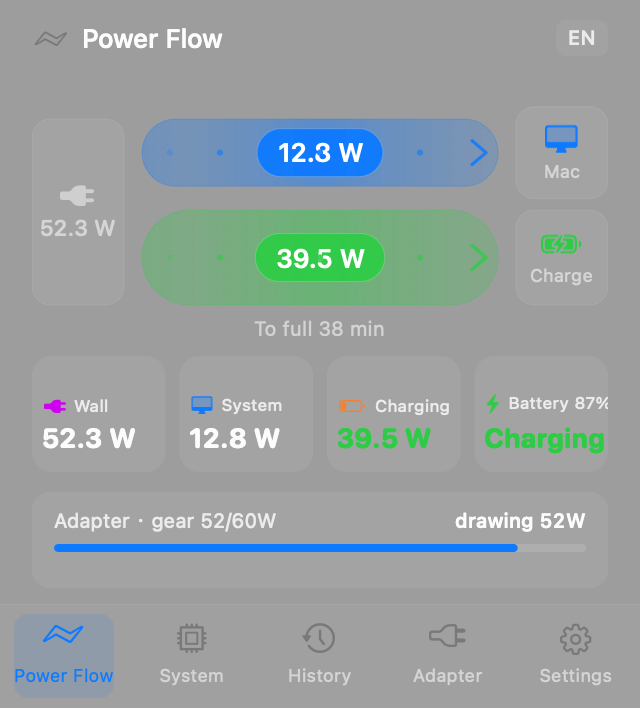
PowerPulse power flow panel
Live · 1 s samplingApple Silicon · macOS 14+
01

Five panels. One question: do the numbers add up?

What the wall gives, what the system takes, what the battery gets — three lines that must reconcile. When they don't, something is drawing power behind your back.

Power flow

Power flow

One strip from wall to battery. Thickness follows wattage, and it splits into system and battery while charging.

  • Three nodes: wall, system, battery
  • Thickness uses a 0.7 power curve, so low wattages still read
  • Arrows at the ends show direction
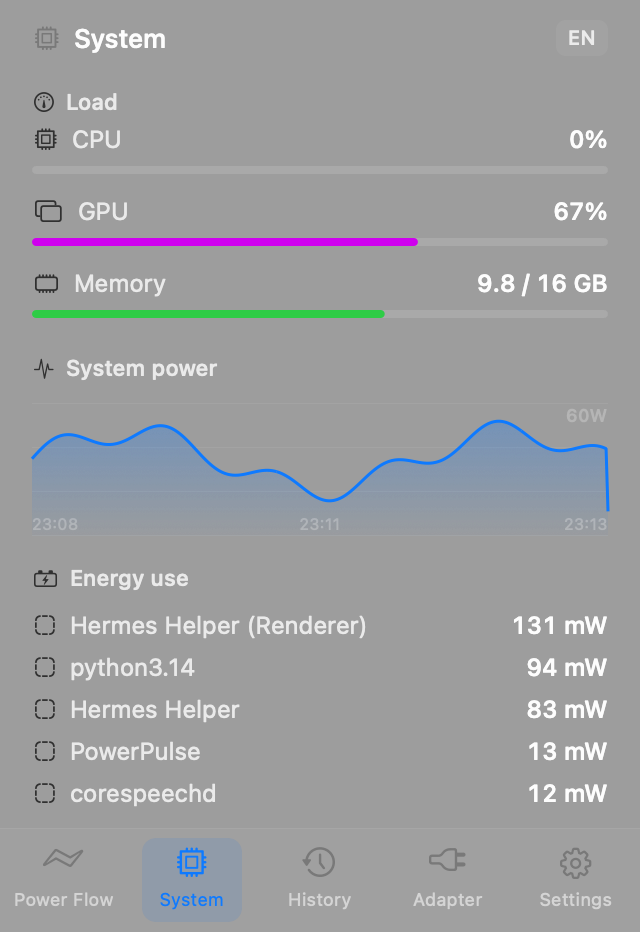
System

System

CPU, GPU and memory load, plus a process list ranked by energy.

  • Live curves for CPU, GPU and memory
  • Process ranking reads rusage_info_v6 — no root
  • Energy shown in watts, by differencing
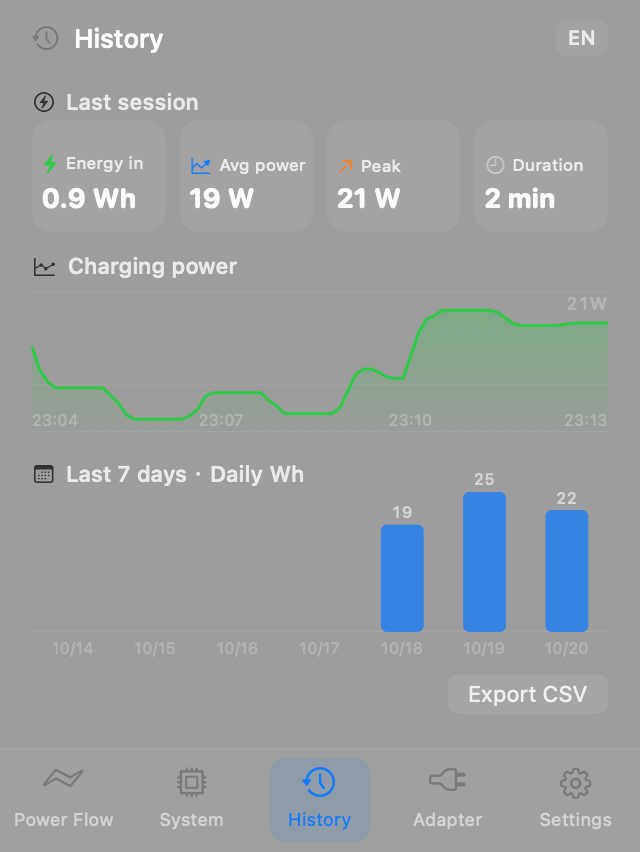
History

History

How many Wh went in last time, how much each day this week, one CSV export.

  • SQLite on disk, survives midnight
  • The last session is kept after the cable is pulled
  • A failed export says why — it never fakes success
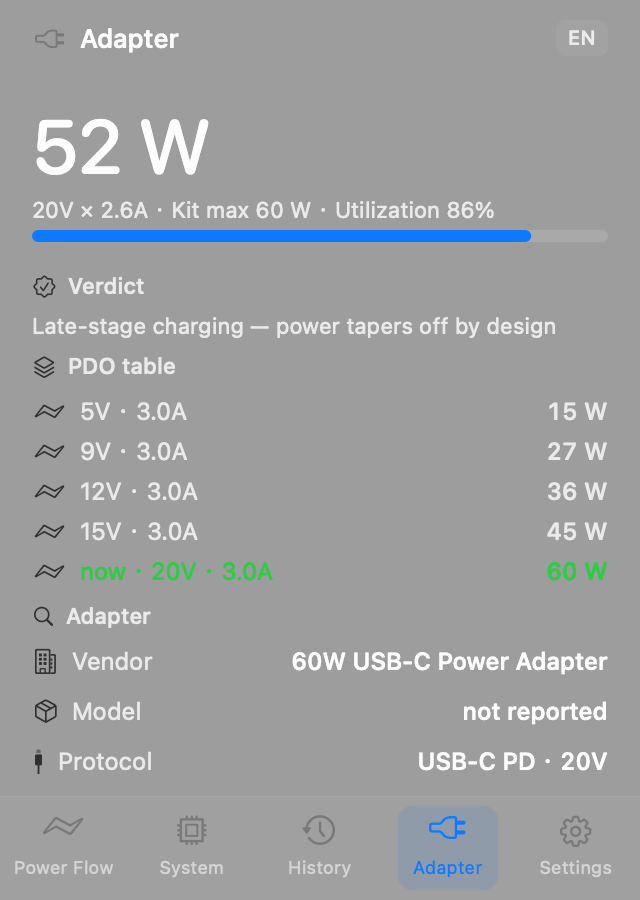
Charger

Charger

Negotiated volts and amps, which PD tiers it offers, and why it isn't running full.

  • Vendor and model (not every charger reports them)
  • The PD table marks the tier in use
  • When it underperforms you get a reason: trickle, thermal, or cable
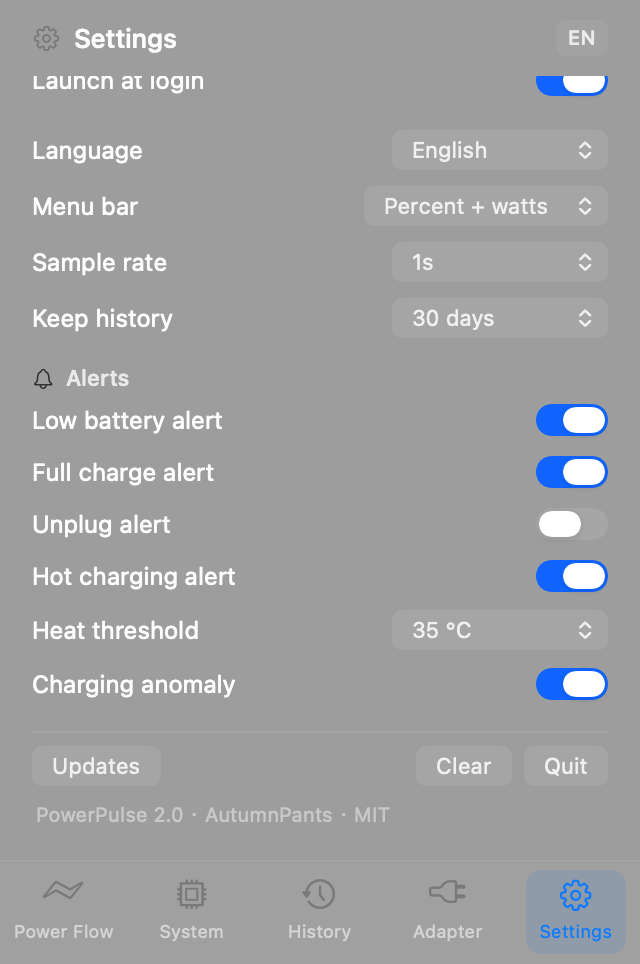
Settings

Settings

Sample interval, history retention, alert thresholds, menu bar content and language.

  • Menu bar can show icon, percentage and wattage
  • Four alert types: low, full, hot, slow
  • 简体 / 繁體 / English
02

The software, drawn as a machine

A shunt that turns current into a voltage, a needle dial that reads it, a paper recorder that draws the curve, a ratchet that steps once a second, a bell that rings when something is wrong. Every module maps to a part. You can drag the load on the drawing.

Fig 1 · Power bench · interactiveOpen on its own ↗
Orange parts move: needle, pen, hammer, the ratchet stepping once a second
Shunt and sampling coil: current becomes millivolts, then a reading
Cast bench plate, feet, rule and name plate
03

Everything it needs. Nothing it doesn't.

No account, no cloud sync, no recommendations. The data stays on this Mac.

Once a second

Sampling, menu bar and widget share one clock. Plugging in a charger shows up immediately, not on the next tick.

1 s·sampling clock

Charger check-up

Negotiated volts and amps, the PD tier table, vendor and model. When it underperforms you get a conclusion, not a raw code.

5V · 3A9V · 3A12V · 3A15V · 3A20V · 3A

Battery health

Cycle count, real full capacity, design capacity, current temperature.

92.9%·design capacity

30-day history

SQLite with WAL, one row every 2 s, log merged on launch.

Desktop widget

Current wattage and charge level without opening the panel.

04

Where the numbers come from

No estimates. Everything is read from the system's own registers.

ModuleHow it is read
Power & battery
IOKit AppleSmartBattery: instantaneous power, volts and amps, cycle count, temperature
Charger
AdapterDetails and UsbHvcMenu: negotiated tier, PD capability list, vendor and model
Per-process energy
ri_energy_nj from rusage_info_v6, differenced — no root needed
History
SQLite with WAL, one row every 2 s, log merged on launch
Rendering
Pure AppKit. The glass popover and the flow diagram are both draw(_:)
Widget
WidgetKit, reading a snapshot the app writes into an App Group

It has to be frugal too

Idle CPU
0.4%
Memory
21 MB
Flow page open
6%
Sampling
1 s

Pure AppKit — no SwiftUI, no third-party dependencies. A power monitor should not be the thing draining your battery.

PowerPulse icon

Install once, live in the menu bar

No installer — drag it into Applications. The build isn't notarized, so the first launch is blocked once.

v2.0.0.zip649 KBmacOS 14.0+Apple SiliconMIT

Ad-hoc signed, not notarized: if Gatekeeper blocks the first launch, allow it in System Settings → Privacy & Security.

Or install with one line — Terminal downloads carry no quarantine flag, so nothing pops up:curl -fsSL https://powerpulse.qijunhao.xyz/install.sh | bash
Build from source
# needs macOS 14+ and the command line tools
git clone https://github.com/777cola/PowerPulse.git
cd PowerPulse && ./build_app.sh
# produces PowerPulse.app and the widget